Feature Spotlights & Interactive In-App Tours
NanoLog provides built-in Feature Spotlights & In-App Tours that guide your customers through new feature releases, eliminate product adoption drop-offs, and turn static changelogs into active, interactive product walkthroughs.
Unlike traditional enterprise tour platforms (Appcues, Pendo, WalkMe) which inject 200KB+ of tracking bloat and cost thousands of dollars per month, NanoLog's spotlight engine is ultra-lightweight (under 4KB overhead), fully isolated within your Shadow DOM widget bundle, and collects zero invasive keystrokes or screen captures.
1. How Feature Spotlights Work
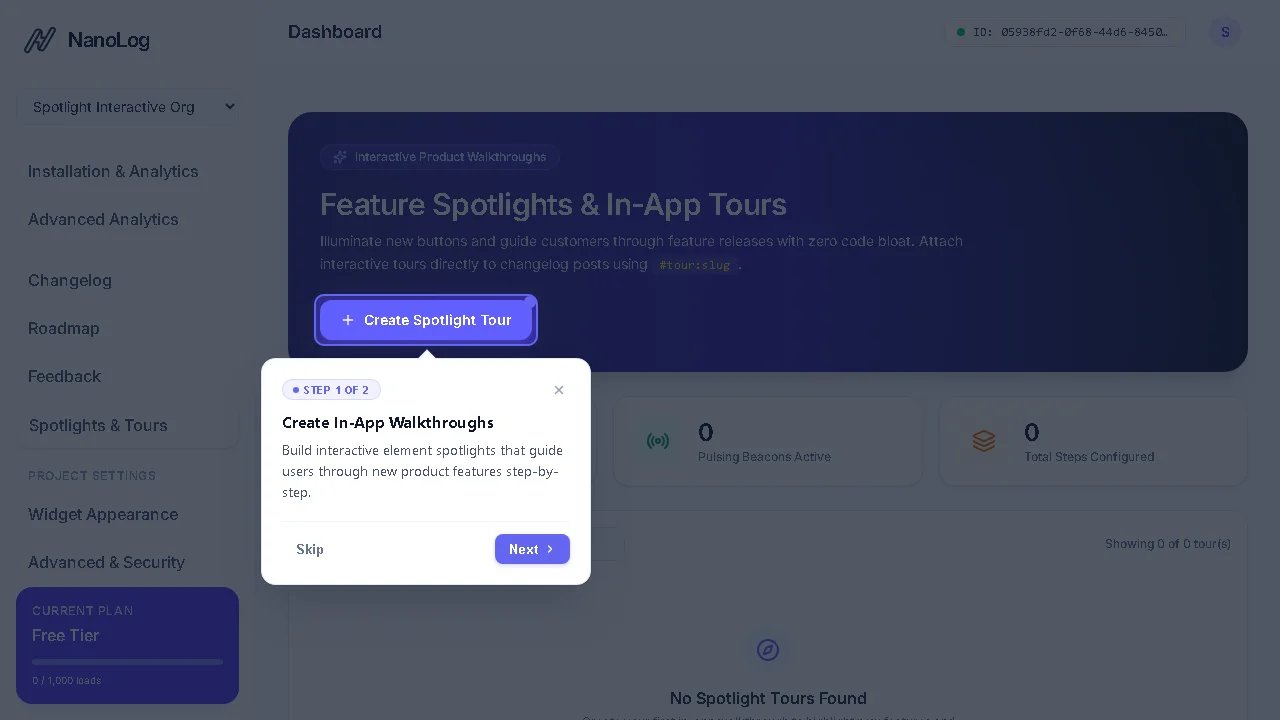
A Spotlight Tour illuminates a specific element on your host application's page (using native CSS selectors like #export-btn or [data-tour="currency"]) by dimming the rest of the viewport with an animated spotlight mask.
Each step features:
- Anchored Floating Tooltip: Positioned dynamically relative to the target element with collision detection to prevent viewport overflow.
- Micro-Copy: Crisp title, markdown description, step counter (
Step 1 of 3), andBack/Next/Skipbuttons. - Proactive Radar Beacons: Optional pulsing indicator dot placed directly on target elements to catch user attention before they interact.
- Keyboard Navigation: Native accessibility (
ESCto dismiss,ArrowRight/Enterto advance).
2. Managing Tours in Your Dashboard
Navigate to Spotlights & Tours in your NanoLog Dashboard:
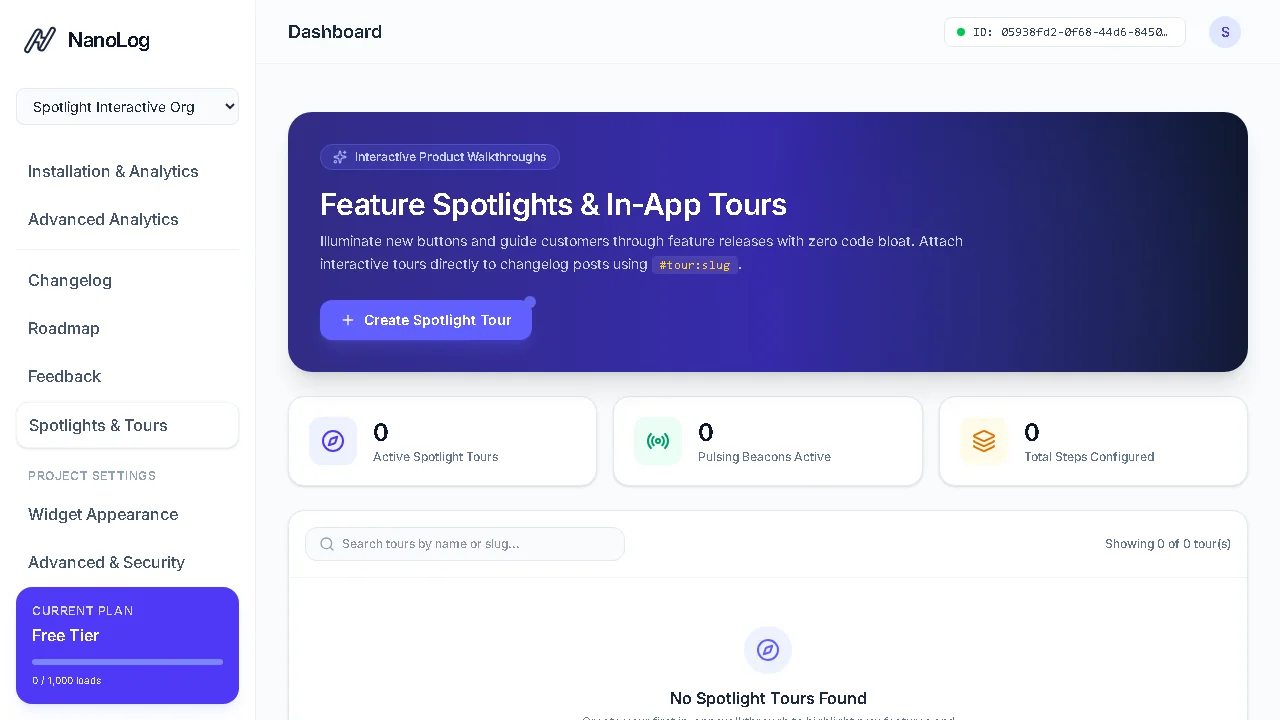
- Click + Create Spotlight Tour.
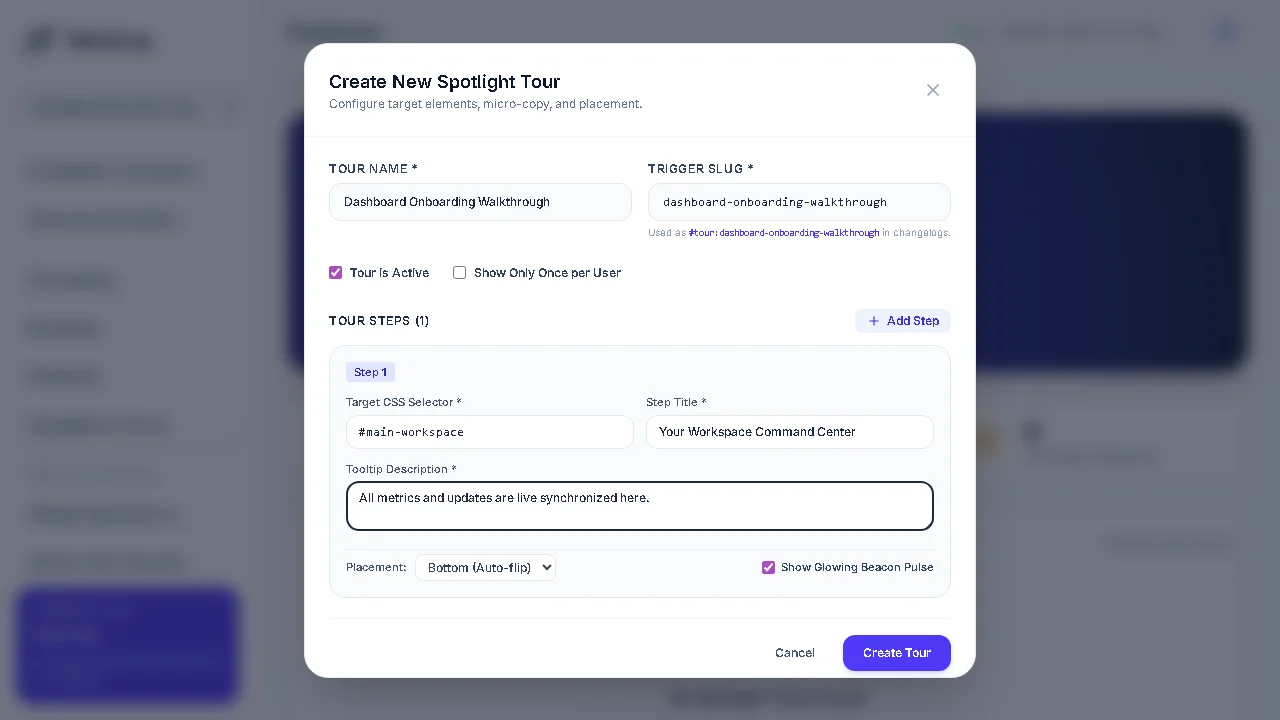
- Set a Tour Name (e.g. Invoicing Quick Tour) and a clean Trigger Slug (e.g.
invoicing-tour). - (Optional) Toggle Show Only Once per User to prevent repeating walkthroughs to returning visitors.
- Add your Steps:
- Target CSS Selector: Any valid DOM selector on your page (e.g.,
#billing-section,button[data-action="export"]). - Step Title & Content: The benefit-driven micro-copy to display.
- Placement:
Bottom,Top,Left, orRight(with automatic viewport-edge collision flipping). - Show Glowing Beacon Pulse: When enabled, renders a radar pulse dot on the element prior to click.
- Target CSS Selector: Any valid DOM selector on your page (e.g.,
3. Linking Changelogs to Interactive Tours
The most powerful way to drive feature discovery is by embedding tour triggers directly into your release notes.
When authoring a changelog post in Markdown (or having your AI coding assistant draft it via MCP), use the #tour:slug anchor pattern:
### 🚀 What's New in v2.4

We've launched full support for multi-currency invoicing!

👉 **[Take a 30-second tour of the new billing controls](#tour:invoicing-tour)**
What happens when a user clicks:
- The NanoLog widget drawer smoothly slides closed.
- The page automatically scrolls to the target element.
- The spotlight mask and Step 1 tooltip appear immediately with zero delay.
4. Programmatic JavaScript API
You can also trigger tours or one-off element spotlights directly from your host application's JavaScript:
Launch a Registered Tour by Slug or ID
// Triggers the tour configured in your dashboard
window.NanoLog.startTour('invoicing-tour');
Launch an Ad-Hoc Dynamic Tour
window.NanoLog.startTour({
  id: 'custom-welcome',
  steps: [
    {
      targetSelector: '#workspace-header',
      title: 'Welcome to your Workspace',
      content: 'Here is your central hub for all active client projects.',
      placement: 'bottom'
    },
    {
      targetSelector: '#create-project-btn',
      title: 'Create Your First Project',
      content: 'Click here to initialize a new API key and embed snippet.',
      placement: 'left',
      beacon: true
    }
  ]
});
One-Off Quick Element Highlight
window.NanoLog.showSpotlight('#save-btn', 'Don\'t forget to save', 'Click save to persist your API settings.');
5. Autonomous Creation via AI Coding Agents
If you use Cursor, Claude Code, Antigravity, or Windsurf with the @ahm-labs/nanolog-mcp server, your agents can automatically generate spotlights whenever they finish writing frontend code.
Equip your agent with the nanolog-spotlight-builder skill. When an agent creates a new feature button, it can inspect its own code, identify the resilient DOM selector, register the tour in NanoLog, and attach #tour:slug into the release note in one continuous autonomous loop: